Android Blogs

Android Push Notification Flow using FCM
In the FCM flow, the app gets a token from FCM and sends it to our backend. The backend then asks FCM to deliver the notification to that token.

Android System Design Interviews
Android System Design is the process of defining the client components, API requirements, and database tables of an app to meet the given requirements.
CoroutineContext in Kotlin
CoroutineContext in Kotlin defines the environment in which a coroutine runs, using elements like Dispatcher, Job, CoroutineName, and CoroutineExceptionHandler.
Parcelable vs Serializable
Parcelable is an Android-specific interface that does not use reflection, so it is faster. Serializable is a Java marker interface that uses reflection and is slower.

String vs StringBuffer vs StringBuilder
String is immutable, StringBuffer is mutable and thread-safe, and StringBuilder is mutable but not thread-safe, which makes it the fastest of the three.

data class in Kotlin
A data class in Kotlin is a class used to hold data. It automatically generates equals(), hashCode(), toString(), copy(), and more for us.
Extension function in Kotlin
An extension function in Kotlin lets us add new functions to existing classes without modifying their source code. We will also learn how it works internally.
remember vs rememberSaveable
In Jetpack Compose, remember keeps the state across recompositions, whereas rememberSaveable also keeps it across configuration changes like screen rotation.
React Native vs Flutter
React Native uses JavaScript and the native UI components, whereas Flutter uses Dart and its own rendering engine to draw the same UI on all platforms.

Launch vs Async in Kotlin Coroutines
launch and async both start a coroutine in Kotlin. launch returns a Job with no result, whereas async returns a Deferred that gives us the result.
callbackFlow - Callback to Flow API in Kotlin
callbackFlow converts any Callback to Flow API in Kotlin. We send each value using trySend() and unregister the callback inside the awaitClose block.
Dalvik, ART, JIT, and AOT in Android
Dalvik is the old Android Runtime based on JIT (Just In Time) compilation, and ART is the newer one based on AOT (Ahead of Time) compilation.
Difference between == and === in Kotlin
In Kotlin, == checks structural equality using equals(), whereas === checks referential equality, which means whether both references point to the same object.
StateFlow and SharedFlow
StateFlow and SharedFlow are Hot Flows in Kotlin. StateFlow needs an initial value and keeps only the latest value, whereas SharedFlow can replay many values.
Cold Flow vs Hot Flow
A Cold Flow emits data only when there is a collector and starts fresh for each one. A Hot Flow emits data even without collectors and shares it with all of them.

Unit Testing ViewModel with Kotlin Flow and StateFlow
To unit test a ViewModel with Kotlin Flow and StateFlow, we mock the data layer, use a test dispatcher, and verify the StateFlow values using Turbine.
How does the Kotlin Multiplatform work?
In Kotlin Multiplatform, we write shared code once in Kotlin. It becomes Java bytecode for Android and native code inside a framework for iOS.
RxJava Subject - Publish, Replay, Behavior, and Async
A Subject in RxJava acts as both an Observer and an Observable. Publish, Replay, Behavior, and Async Subjects differ in which items a new subscriber gets.

OkHttp Interceptor
OkHttp Interceptors are a mechanism that can monitor, rewrite, and retry API calls. We use them for logging, caching, adding headers, and refreshing tokens.

Mastering Kotlin Coroutines
Kotlin Coroutines help us run long tasks, like a network call, in the background without blocking the main thread, using simple code that reads from top to bottom.
Callback to Coroutines in Kotlin
We can convert any Callback to Coroutines in Kotlin by wrapping it inside suspendCoroutine or suspendCancellableCoroutine, and resuming with the result.
Retry Operator in Kotlin Flow
The Retry Operator in Kotlin Flow (retry and retryWhen) retries a failed flow based on a condition. We can also use it with exponential backoff delay.
Pagination In RecyclerView Using RxJava Operators
We can implement pagination in RecyclerView using RxJava operators like PublishProcessor, concatMap, and onBackpressureDrop, to load more data as we scroll.
RxJava Operator Map vs FlatMap
In RxJava, Map transforms each item emitted by an Observable by applying a function, whereas FlatMap transforms each item into an Observable.

RxJava Merge Operator
The Merge operator of RxJava combines multiple Observables into one by merging their emissions. Unlike Concat, it does not maintain the order.
Long-running tasks in parallel with Kotlin Flow
We can run long-running tasks in parallel with Kotlin Flow using the zip operator, which runs both tasks together and combines their results.

Retrofit with Kotlin Coroutines
To use Retrofit with Kotlin Coroutines, we mark the API functions with suspend and call them from a coroutine inside the ViewModel. We will build it with MVVM.
coroutineScope vs supervisorScope
A coroutineScope cancels all its children when any one child fails, whereas a supervisorScope does not cancel the other children when one of them fails.
Retrofit with Kotlin Flow
To use Retrofit with Kotlin Flow, we wrap the suspend API call inside a flow builder and collect the result inside the ViewModel. We will build it with MVVM.
Room Database with Kotlin Flow
To use Room Database with Kotlin Flow, we return a Flow from the database layer, emit the data from Room, and collect it inside the ViewModel.
RxJava Concat Operator
The Concat operator of RxJava emits the items of two or more observables one after another, without interleaving them, so the order is maintained.
dispose vs clear CompositeDisposable RxJava
In RxJava, clear() removes all the disposables but can accept new ones, whereas dispose() removes all of them and does not accept any new disposable.
RxJava Interval Operator
The Interval operator of RxJava creates an Observable that emits a sequence of integers spaced by a given time interval. We use it to repeat a task.
crossinline in Kotlin
crossinline in Kotlin is used to avoid non-local returns from a lambda that is passed to an inline function. We will learn it with a simple example.

inline function in Kotlin
An inline function in Kotlin tells the compiler to insert the complete body of the function wherever that function is called, which avoids the call overhead.

noinline in Kotlin
noinline in Kotlin is used when we do not want all the lambdas passed to an inline function to be inlined. We mark those lambda parameters as noinline.

Use setRecycledViewPool for Optimizing Nested RecyclerView
setRecycledViewPool lets the inner RecyclerViews of a Nested RecyclerView share one view pool, so that views get reused and scrolling becomes smooth.
singleTask launchMode in Android
With singleTask launchMode, only one instance of the Activity exists at a time. If it already exists, its Task is brought forward and it gets the new intent.

init block in Kotlin
The init block in Kotlin runs when an object is created, right after the primary constructor, and lets us write the initialization code that it cannot hold.
Companion object in Kotlin
A companion object in Kotlin lets us call a function or access a property using the class name, without creating an object, like static in Java.
lateinit vs lazy in Kotlin
In Kotlin, lateinit is used with var when we will initialize the variable later, whereas lazy is used with val to create the object only on its first access.
Infix notation in Kotlin
Infix notation in Kotlin lets us call a function without the dot and parentheses, so that the code looks much more like a natural language.

Open keyword in Kotlin
In Kotlin, classes, functions, and variables are final by default. We mark them with the open keyword to allow them to be inherited or overridden.
Dispatchers in Kotlin Coroutines
Dispatchers help Kotlin Coroutines decide the thread on which a task runs. The types are Dispatchers.Default, Dispatchers.IO, Dispatchers.Main, and Unconfined.
Mastering Flow API in Kotlin
Flow API in Kotlin is an asynchronous data stream that emits values to a collector and completes with or without an exception. Let's master it step by step.
How does the Android Image Loading library optimize memory usage?
Android Image Loading libraries like Glide optimize memory usage by downsampling, which means scaling the image down to the size that the view actually needs.
How does the Android Image Loading library use the bitmap pool for responsive UI?
Android Image Loading libraries like Glide reuse old bitmaps from a bitmap pool, which reduces how often the Garbage Collector runs and keeps the UI responsive.
JvmField Annotation in Kotlin
The JvmField annotation in Kotlin tells the compiler not to generate getters and setters, so that Java code can access the property directly as a field.
JvmOverloads Annotation in Kotlin
The JvmOverloads annotation tells the Kotlin compiler to generate overloads for a function or constructor with default parameters, so that Java can call it.
JvmStatic Annotation in Kotlin
The JvmStatic annotation in Kotlin lets Java code call a function of a named object or companion object directly, without using INSTANCE or Companion.
Advantage of using const in Kotlin
The advantage of using const in Kotlin is that the value gets inlined at compile time, so there is no overhead to access that variable at runtime.
How does the Android Image Loading library solve the slow loading issue?
Android Image Loading libraries like Glide solve slow loading by following the lifecycle and canceling the tasks for images that are no longer visible.
partition - filtering function in Kotlin
partition is a Kotlin filtering function that splits a collection into two lists, one with the elements that match the predicate and one with those that do not.
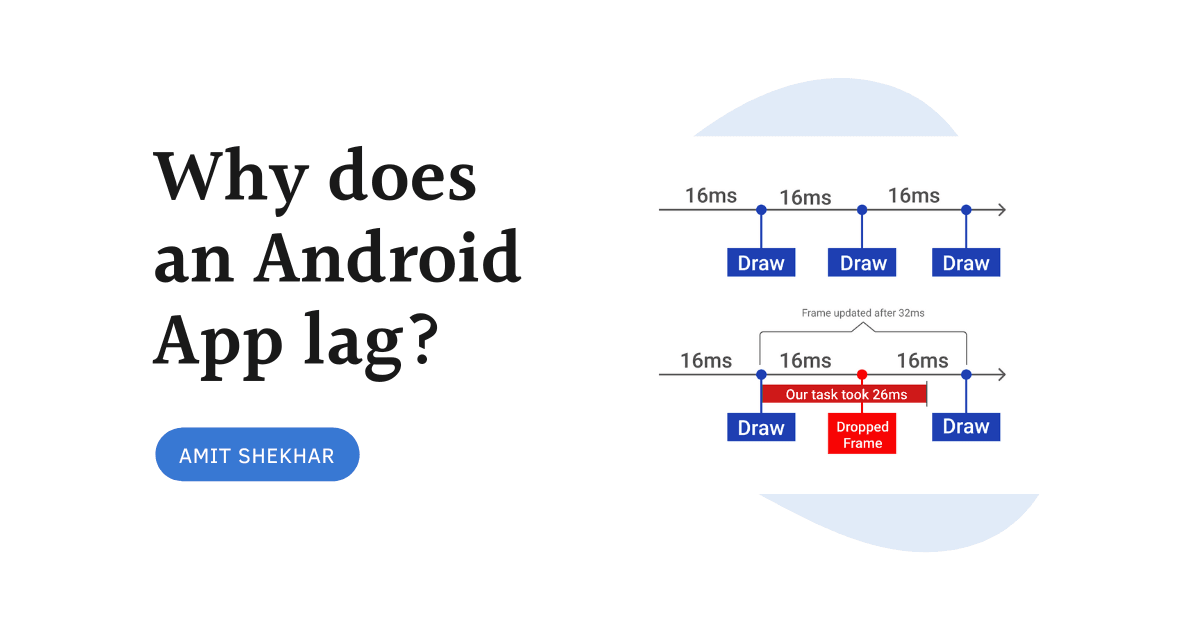
Why does an Android App lag?
An Android App lags mainly because the Garbage Collector (GC) runs very frequently, and while GC is running, the actual app is not running.
AssociateBy - List to Map in Kotlin
associateBy is a Kotlin collection function that converts a list into a map, where we decide the key for each item. We will learn it with an example.
Remove duplicates from an array in Kotlin
We can remove duplicates from an array in Kotlin using distinct(), toSet(), toMutableSet(), or toHashSet(). We choose one based on our use case.
Caching with OkHttp Interceptor and Retrofit
With OkHttp Interceptor and Retrofit, we can cache HTTP responses in Android, even when the server does not send the Cache-Control header, to build offline-first apps.
Why is it recommended to use only the default constructor to create a Fragment?
We must use only the default constructor for a Fragment because Android calls the no-argument constructor when it recreates the Fragment, like on rotation.

Jetpack DataStore Preferences
Jetpack DataStore is the new data storage solution that replaces SharedPreferences. It is built on Kotlin Coroutines and Flow and stores data asynchronously.

Google Android Developer Interview
The Google Android Developer Interview has telephonic rounds, Android and coding onsite rounds, and System Design rounds. We will learn how to prepare for each.
RecyclerView Optimization - Scrolling Performance Improvement
We can optimize RecyclerView scrolling by using an image loading library, doing less in onBindViewHolder, avoiding nested views, and using setHasFixedSize.
Kotlin Flow Zip Operator for Parallel Multiple Network Calls
The Kotlin Flow zip operator combines the emissions of two flows into one. We can use it to make multiple network calls in parallel and get both results together.
App Startup Library
The App Startup Library lets apps and libraries initialize their components at startup through one shared ContentProvider, which improves App Startup time.
Instant Search Using Kotlin Flow Operators
We can build instant search in Android using Kotlin Flow operators like debounce, filter, distinctUntilChanged, and flatMapLatest, to avoid extra network calls.

Creating Flow Using Flow Builder in Kotlin
In Kotlin, we can create a Flow using four flow builders, which are flowOf(), asFlow(), flow{}, and channelFlow{}. We will learn each one with examples.
Exception Handling in Kotlin Flow
In Kotlin Flow, we handle exceptions using the catch operator. The flow can complete with or without an exception, and catch lets us handle it gracefully.
Terminal Operators in Kotlin Flow
Terminal operators in Kotlin Flow, like collect, are the operators that actually start the flow by connecting the flow builder and operators with the collector.
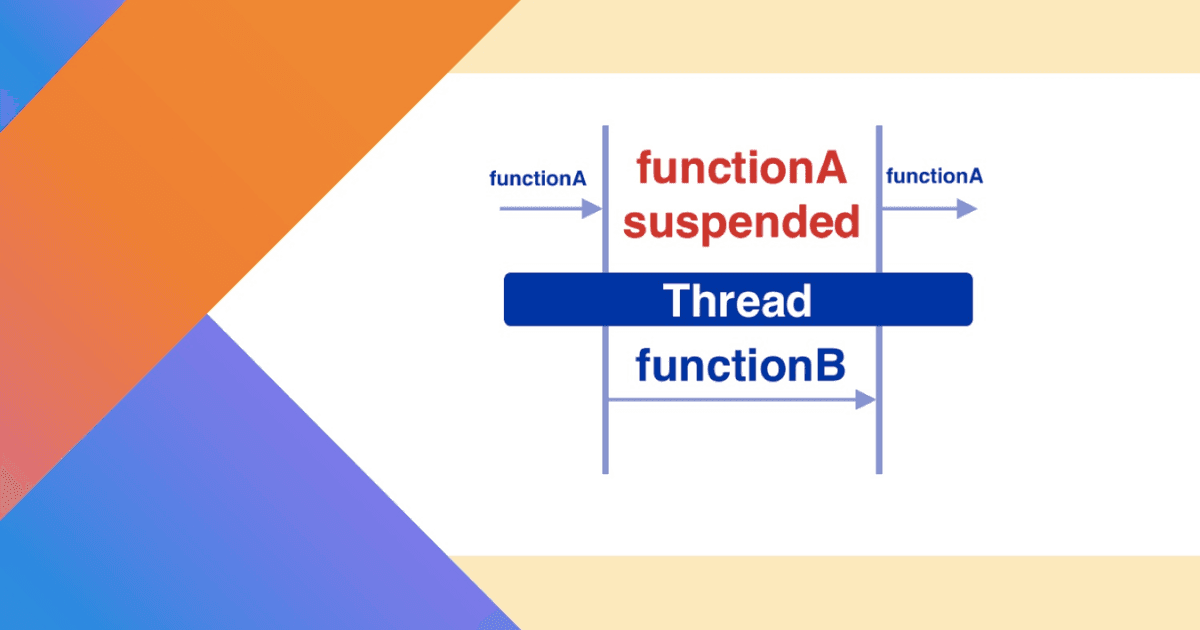
suspend function in Kotlin Coroutines
A suspend function in Kotlin Coroutines is a function that can be started, paused, and resumed, without blocking the thread. Let's see how it works.
Kotlin withContext vs Async-await
withContext does not create a new coroutine. It only shifts the context of the current one, whereas async creates a new coroutine and we use await() for the result.
Room Database with Kotlin Coroutines
To use Room Database with Kotlin Coroutines, we mark the DAO functions with suspend and call them from a coroutine. We will build it with MVVM.
Parallel Multiple Network Calls Using Kotlin Coroutines
We can make multiple network calls in parallel using Kotlin Coroutines by starting each call with async and then calling await() on each to get the results.

Unit Testing ViewModel with Kotlin Coroutines and LiveData
To unit test a ViewModel with Kotlin Coroutines and LiveData, we mock the data layer with Mockito, use a TestCoroutineRule, and check the LiveData values.
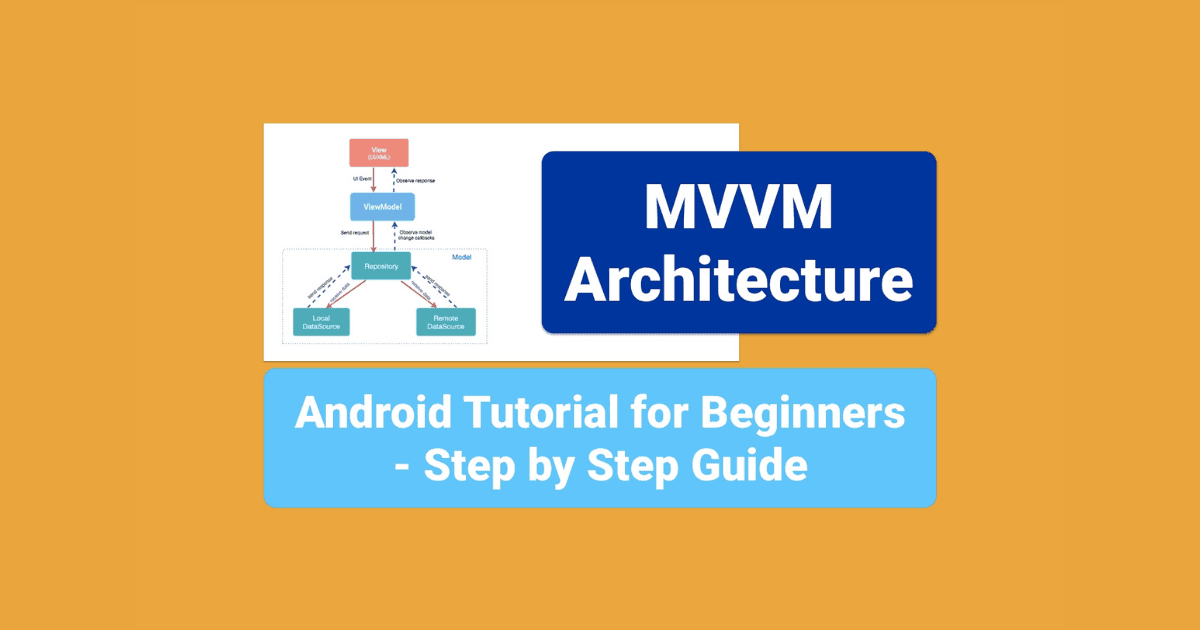
MVVM Architecture - Android Tutorial
MVVM (Model-View-ViewModel) is an Android architecture that removes tight coupling between components. We will learn it and build a project with it.
Android Developer should know these Data Structures for Next Interview
The must-know data structures for an Android interview are Array, Linked List, Hash Table, Stack, Queue, Tree, and Graph. We will learn each of them.
Android TensorFlow Lite Machine Learning Example
TensorFlow Lite is the lightweight version of TensorFlow for mobile devices. We will use it in an Android app to detect objects on the device itself.
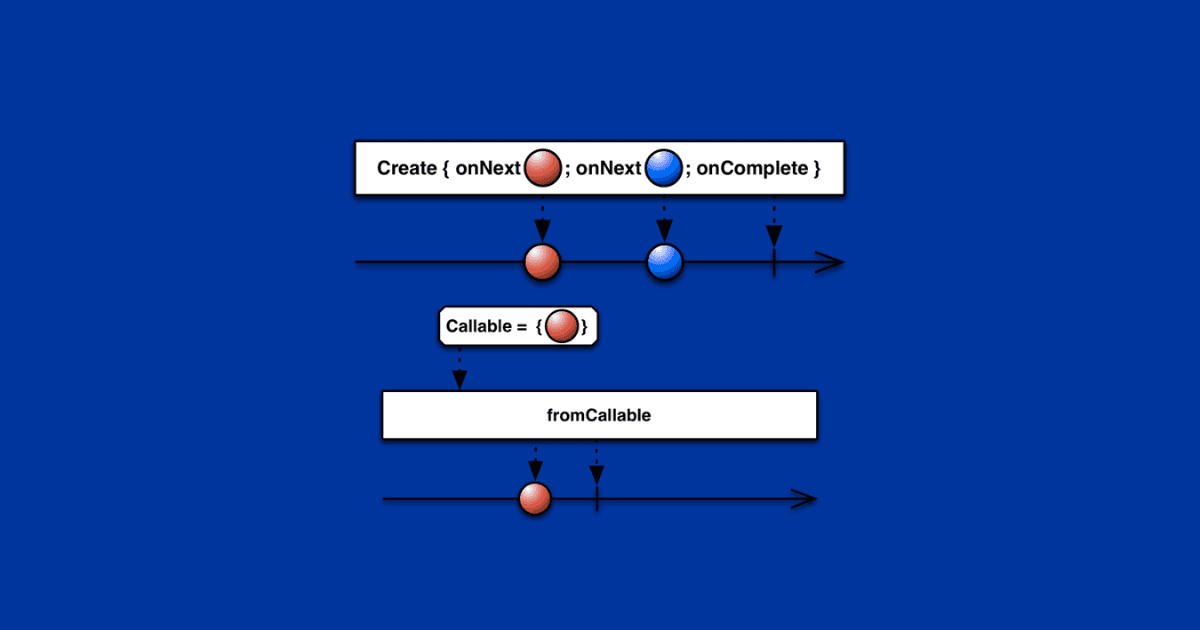
RxJava Create and fromCallable Operator
The Create operator of RxJava can emit many values one by one and then complete, whereas fromCallable emits only one item. Let's learn when to use which one.
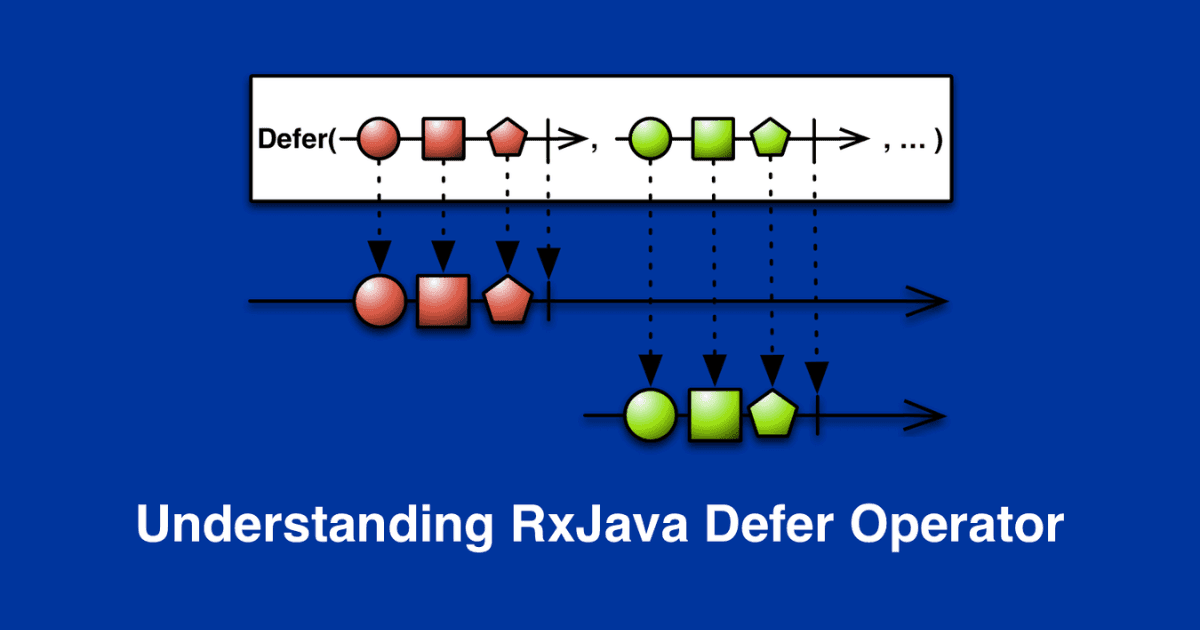
RxJava Defer Operator
The Defer operator of RxJava does not create the Observable until an observer subscribes, and it creates a fresh Observable for each observer.
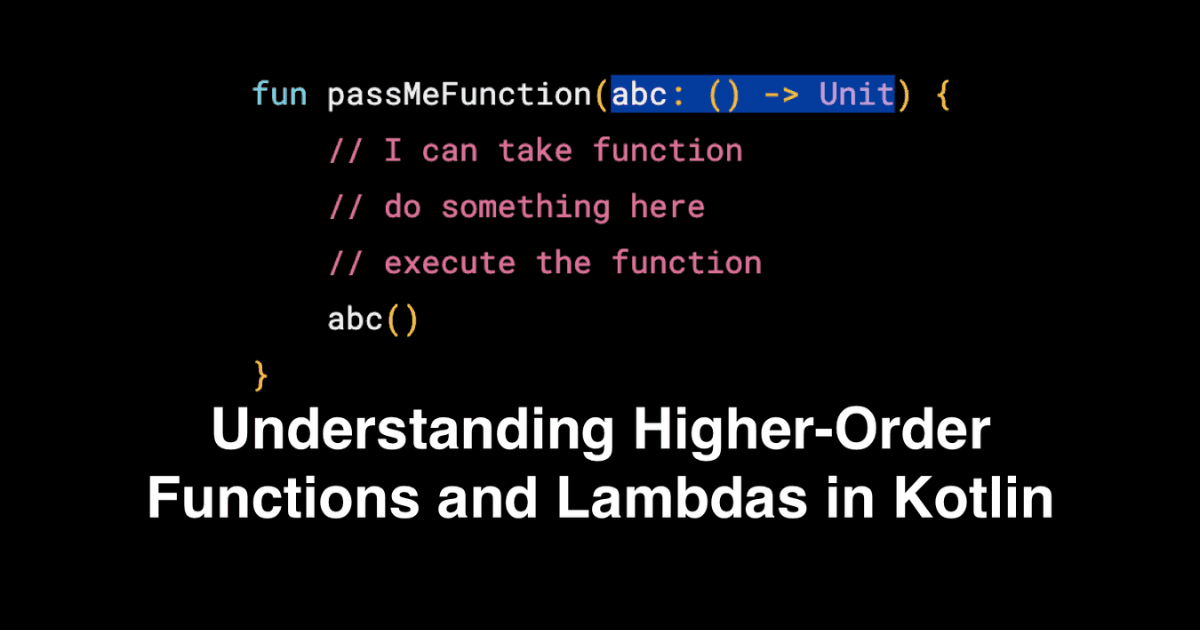
Higher-Order Functions and Lambdas in Kotlin
A lambda in Kotlin is an anonymous function that we can treat as a value. A higher-order function is a function that takes a function as a parameter or returns one.
RxJava Zip Operator
The Zip operator of RxJava combines the emissions of multiple Observables together using a function, so that we get the results from all of them at a time.
Types Of Observables In RxJava
The types of Observables in RxJava are Observable, Flowable, Single, Maybe, and Completable. Each one fits a different use case, based on what it emits.
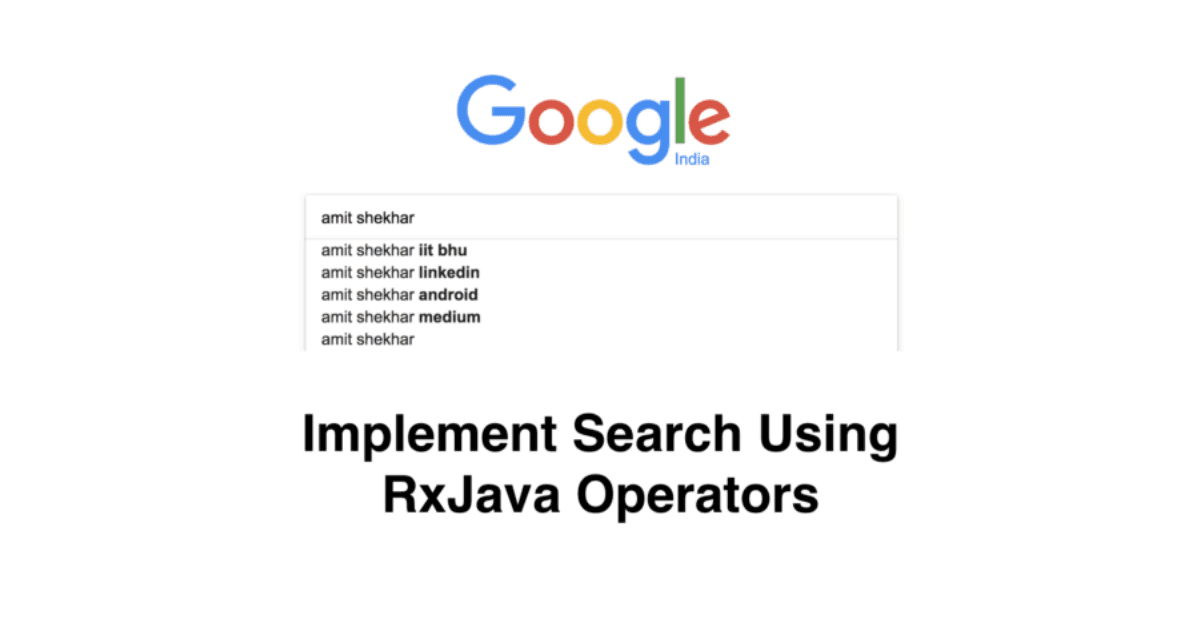
Instant Search Using RxJava Operators
We can build instant search in Android using RxJava operators like debounce, filter, distinctUntilChanged, and switchMap, to avoid extra network calls.

RxJava Tutorial
RxJava is a library for reactive programming, where the consumer reacts to data as it comes in. Here are all the resources to learn RxJava in one place.

Context In Android Application
Context in Android gives information about the current app environment and lets us access system services and resources. We will learn which Context to use.
Android App Performance Metrics
The key Android app performance metrics are Frames Per Second (FPS), CPU, Memory, Network Traffic, and Disk. We will learn how to measure each of them.
StrictMode in Android Development
StrictMode is a developer tool in Android that detects the mistakes we make by accident, like disk or network access on the main thread, so that we can fix them.
SnapHelper
SnapHelper is a helper class in Android that snaps a child view of the RecyclerView into place, like the first visible item, as we see in the Play Store.
Optimization Using ArrayMap and SparseArray
ArrayMap and SparseArray are more memory efficient than HashMap in Android. We should use them for small collections to save memory and reduce GC calls.
Android Development Best Practices
Android best practices include following a recommended architecture, maintaining code quality, fixing memory leaks, using Proguard, and keeping layouts simple.
Creating Custom Annotations
Annotations are metadata, which means information about our code. We will learn how to create our own custom annotations in Java and use them in a class.
Android NDK and RenderScript
Android NDK lets us use C and C++ code in our app, while RenderScript runs heavy computations at high performance. Both aim to improve app performance.
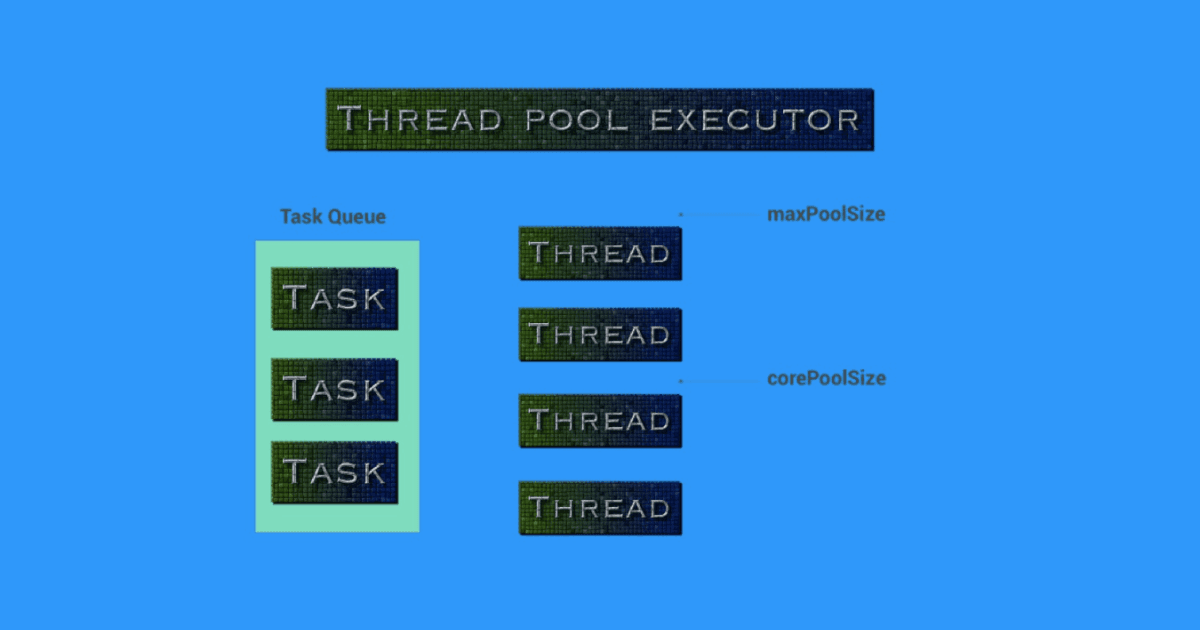
ThreadPoolExecutor in Android
A ThreadPoolExecutor runs tasks using a pool of reusable worker threads that pick tasks from a queue. RxJava and Kotlin Coroutines are built on top of it.
Bitmap Pool in Android
Bitmap pooling in Android reuses the memory of bitmaps that are already available instead of allocating new memory every time, so GC runs less often.